
Why Orbit
Ten reasons to choose Orbit
Your friends, your class, your community - one free place to hang out. Here is why it clicks.
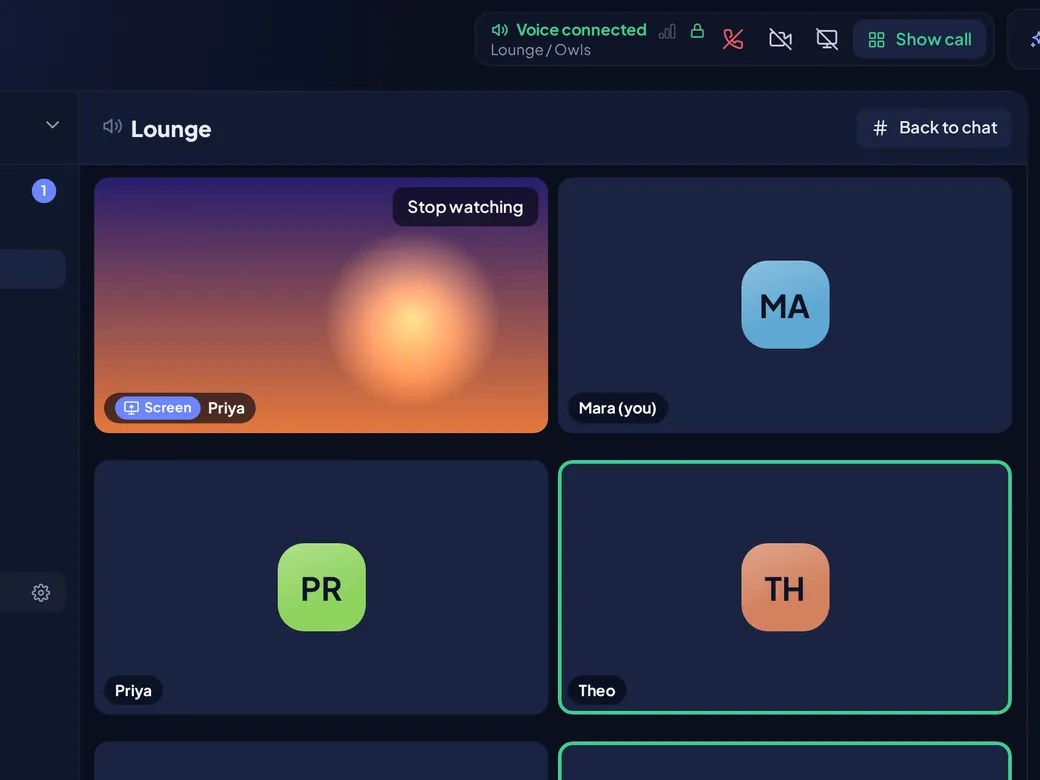
Calls nobody else can listen to
Ever wonder who else might be listening in on your call? On Orbit, nobody.
- Voice, video, camera and screen share are end-to-end encrypted.
- Your device scrambles it before it leaves, and not even Orbit's servers can listen in.
- If a browser can't encrypt a call, it doesn't join - there is no unencrypted fallback.
Zero ads. Zero trackers.
Chat shouldn't come with a side of being watched.
- We never sell your data.
- We never use your messages to target ads.
- No third-party analytics or trackers.
- An account needs a username, a display name, an email and a password - no phone number, no real name.

Your stuff stays yours
Ever sent a photo and wondered where it goes, or what it says about where you took it?
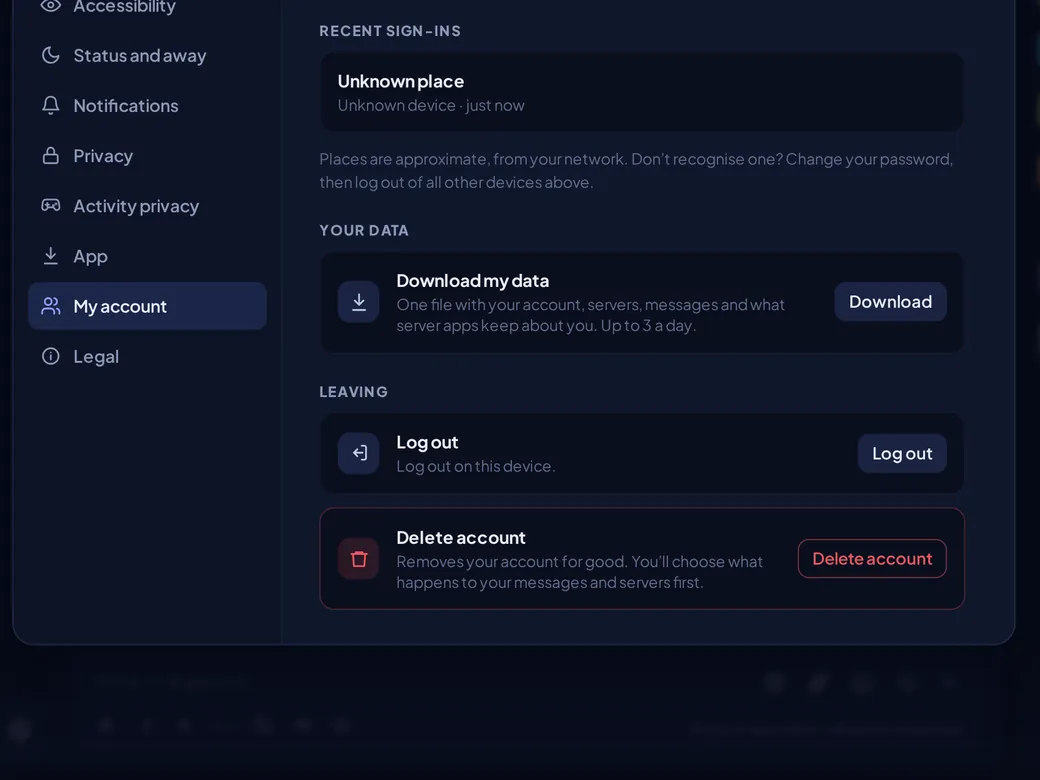
- Files you send are private and open only through short-lived links.
- Location and camera details are stripped from pictures before they are stored.
- Download everything in one file, or delete your account yourself.
- A sign-in from somewhere new has to be approved by email, and you can sign out any device from Settings.
Show off your game, on your terms
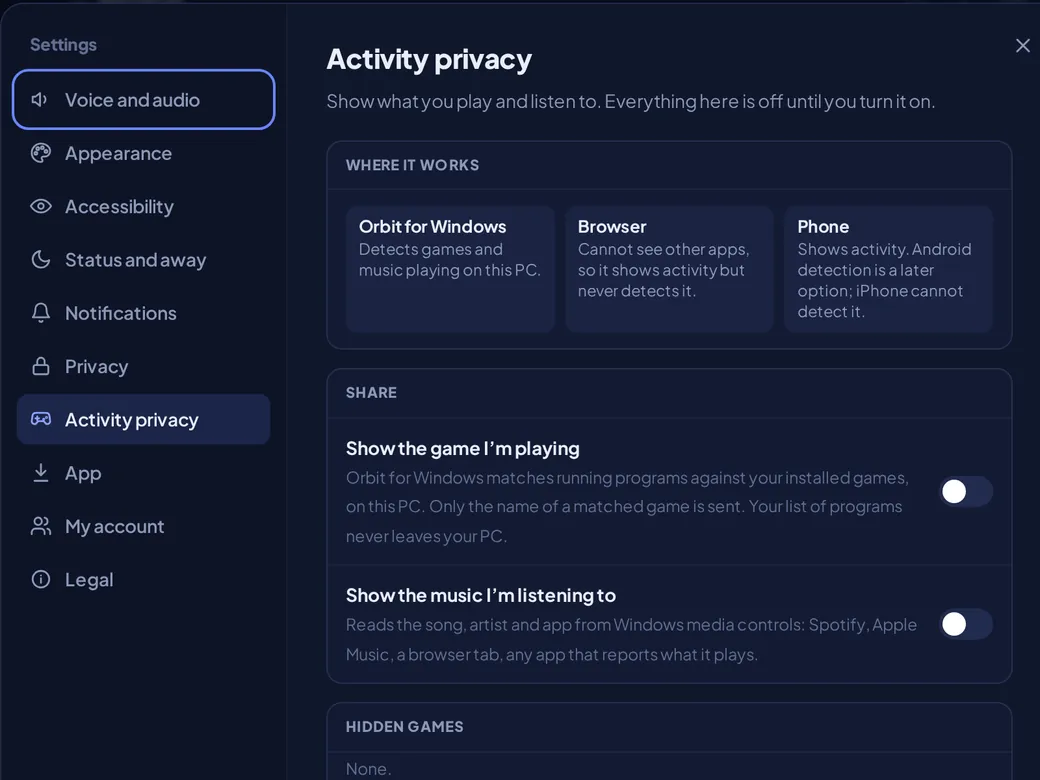
Playing something great, but only want the right people to know?
- Off until you turn it on. Then you pick who sees it: everyone, friends or chosen servers.
- People outside your audience see nothing - not even that you share.
- Games: Orbit for Windows matches what is running against your installed games, and only a matched game's name is sent.
- Music: the song, artist and app come from Windows media controls, and what you listen to isn't saved to your account.
Dust: earned, never bought
Some looks shouldn't be locked behind a wallet. Dust is earned, never sold.
- Earn it by chatting, spending time in voice and keeping a daily check-in streak - everyone also starts with a welcome gift.
- Spend it on user banners and avatar frames. Some items are free.
- Nobody can buy their way to the top.

Apps for everyone, not just coders
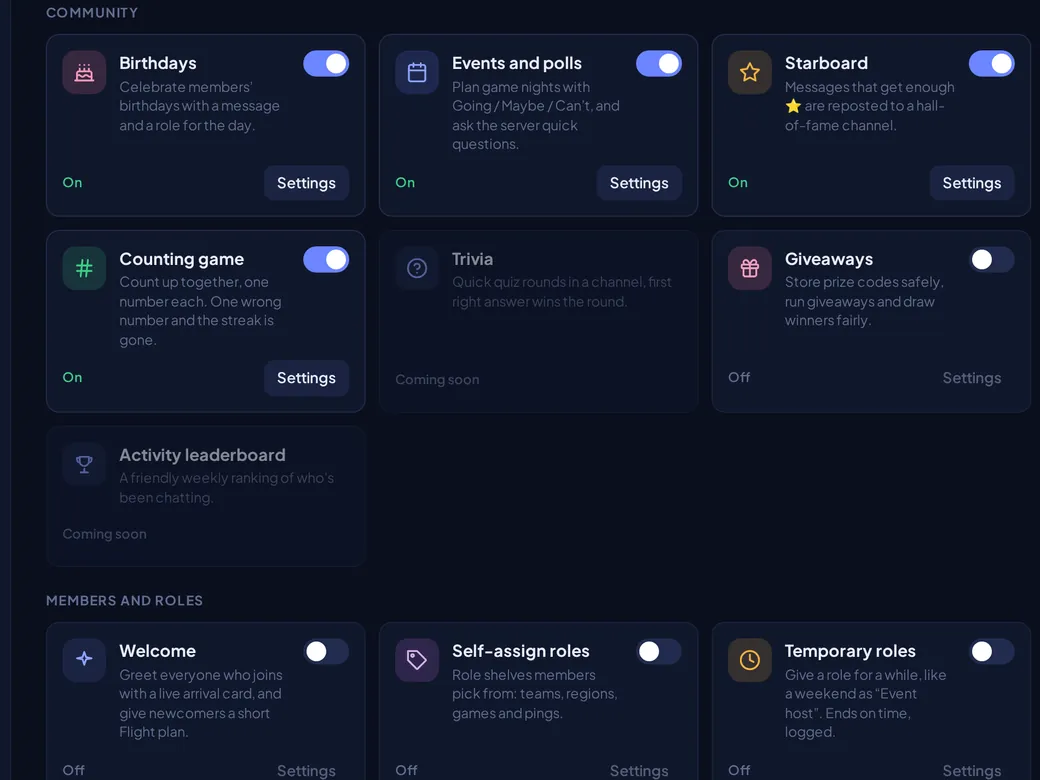
Not everyone is a coder, and not everyone wants to build a bot or keep one running 24/7. Orbit has your back with built-in Apps.
- Birthdays - your mates' birthdays never get missed.
- Events and polls - game night gets a Going / Maybe / Can't list, and quick questions get quick answers.
- Starboard - the best messages land in a hall of fame.
- Counting game - count up together, but one wrong number and the streak is gone.
- Giveaways - run them, draw winners fairly.
- Welcome - every newcomer gets an arrival card.
- Self-assign roles - let people pick their team, region or game.
- Temporary roles - be Event host for the weekend, then it ends on time.
Each one switches on in a click, in Server settings > Apps.
You run your server
Your server, your call: who gets in, who can do what, and who you would rather not hear from.
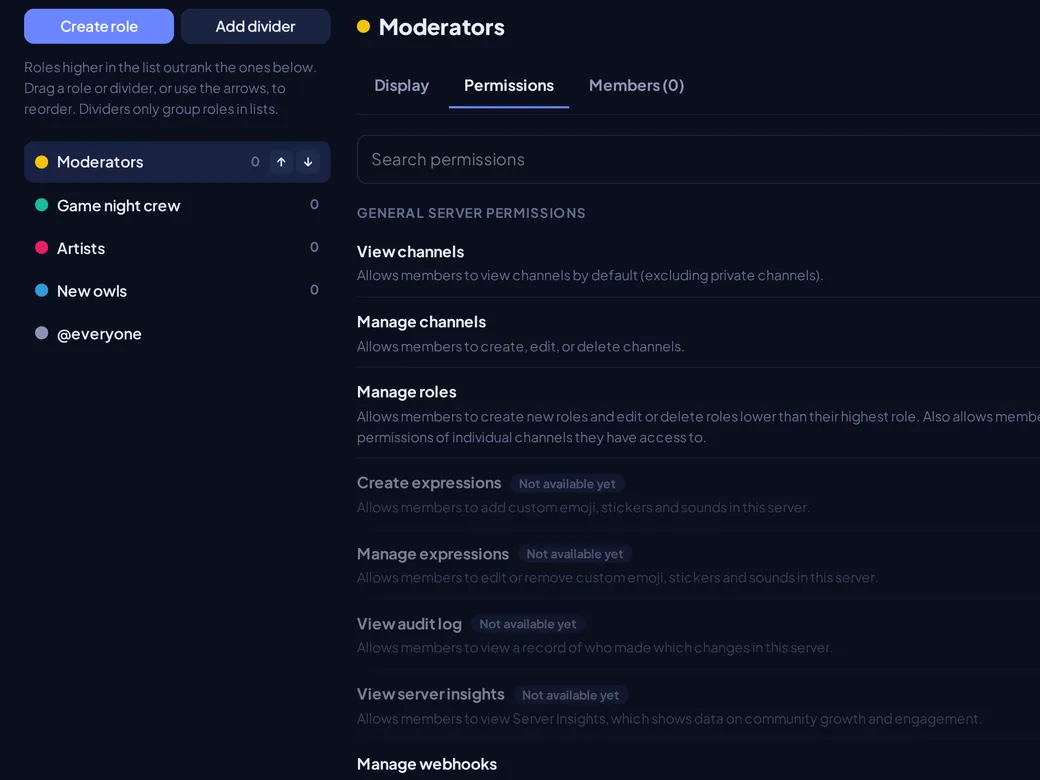
- Roles and permissions for the whole server or channel by channel.
- Invite links you control, or list the server in Discover so anyone can join.
- Your own name, icon and background - and you can hand the server to someone else.
- Block anyone who ruins the vibe, and report any message to a team that reads it.
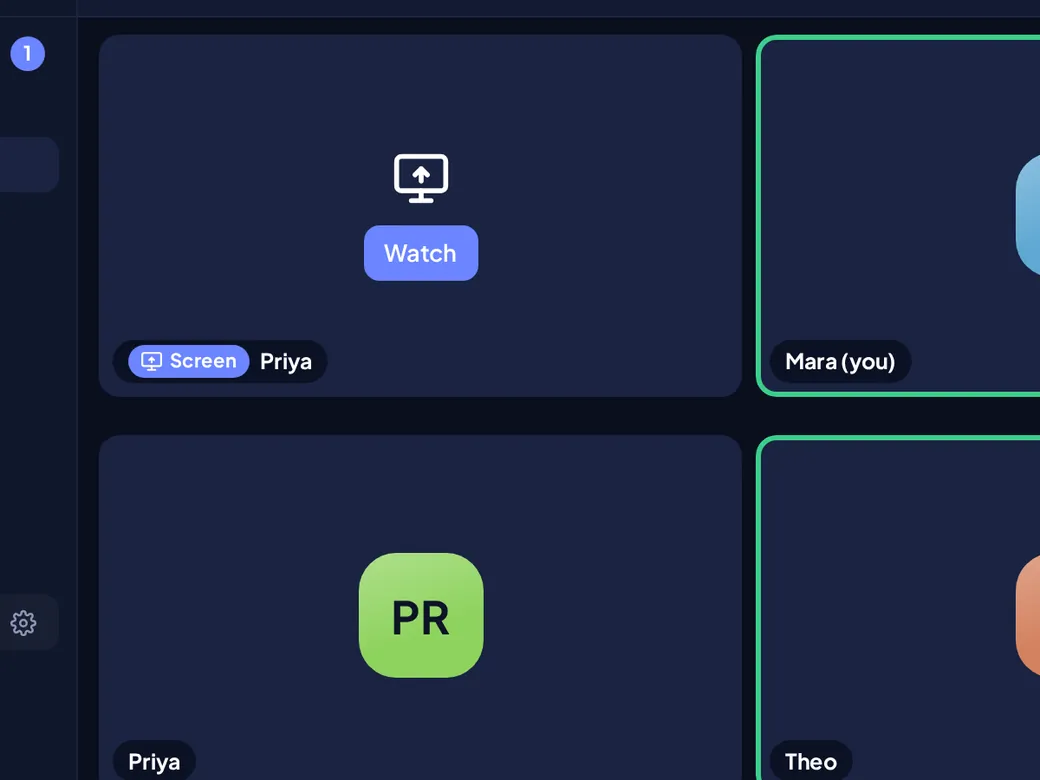
Screen share that looks sharp
Nobody wants to watch a blurry slideshow of your best play.
- Share up to 1440p at 60 fps.
- People only receive your screen when they press Watch.
- Noise suppression keeps your mic clean.
- Whisper lets you pass a quiet word to one person while the rest of the call hears nothing.
Made to be comfortable
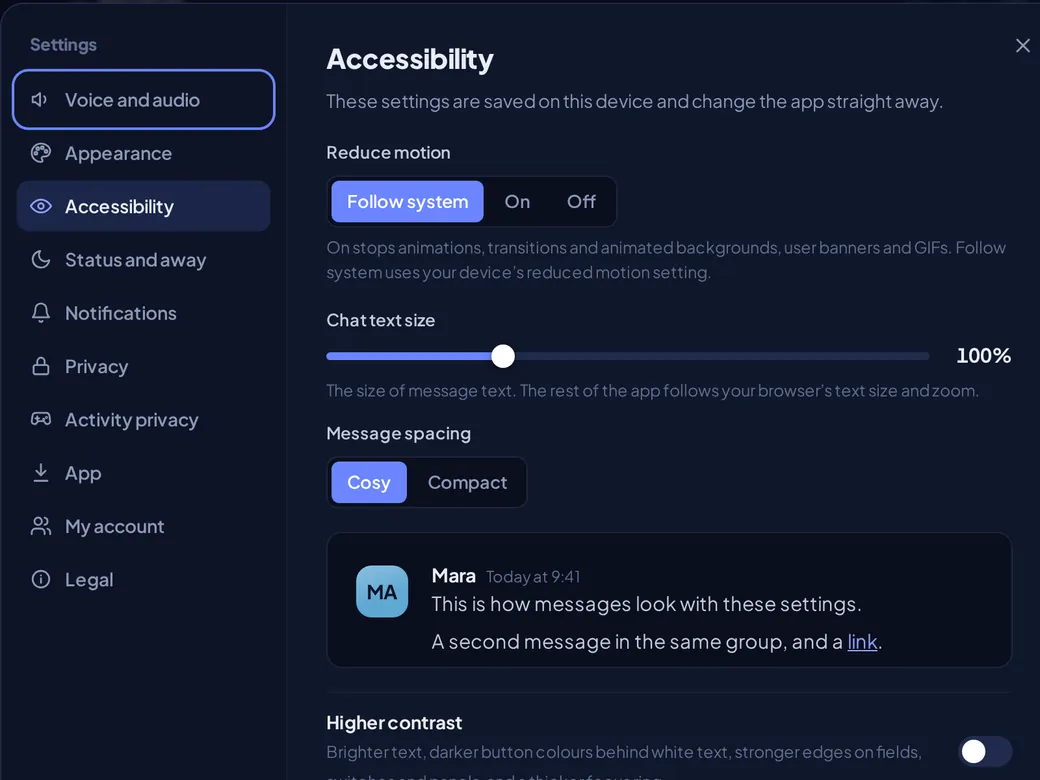
Orbit shouldn't make you squint, or make you dizzy. In Settings > Accessibility you can change:
- Reduce motion
- Chat text size
- Message spacing - cosy or compact
- Higher contrast
- Larger click targets
- Underlined links
- Always-visible message actions
- Notices that stay until you dismiss them
- Sound alerts shown on screen
- Pause animated pictures
Free, and in your pocket too
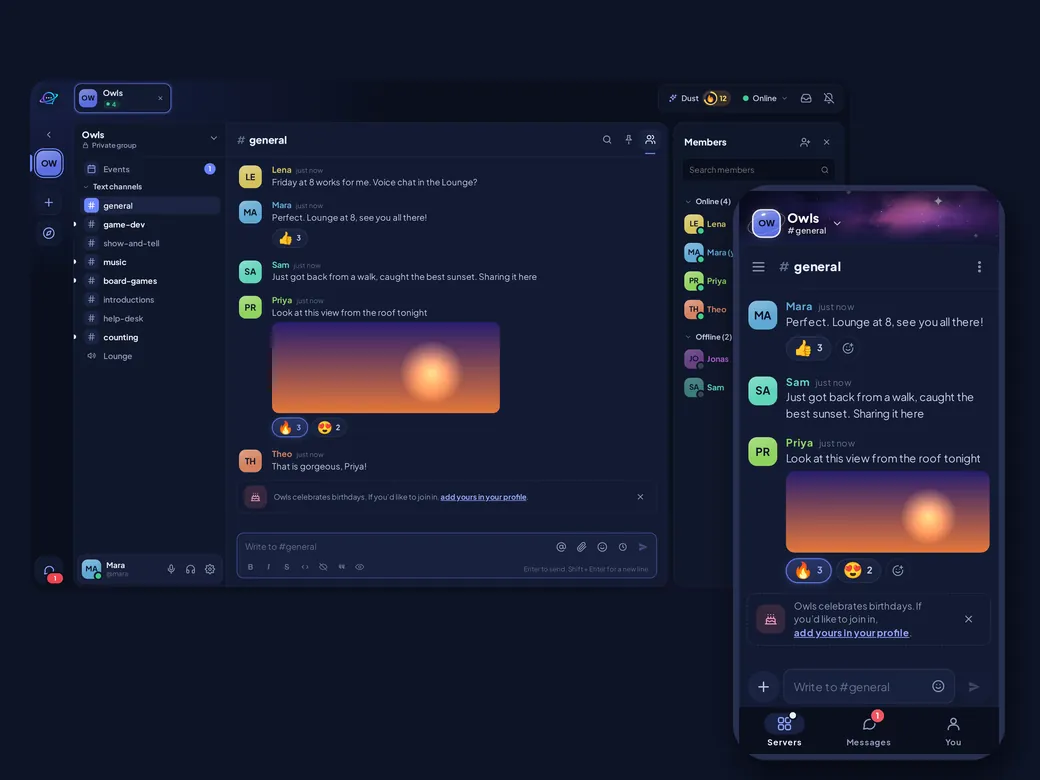
Your friends are on every kind of device. Orbit costs nothing and anyone can sign up.
- Windows - get it from the Microsoft Store.
- Any browser - or install it from there as an app.
- Android - in an open test anyone can join. Get it here.
- iPhone - an app is on the way.
Coming next
Things we are planning. Plans can change.
- Stolen-login protection. Orbit would notice when a copied sign-in is used somewhere it shouldn't be.
- Streamer mode. Hide private details on screen while you stream - and it can switch on by itself when you go live.
- Twitch for streamers. Link your Twitch, show your server you are live, announce your stream in a channel you pick and get a live role while you stream.
- Games that show more. Your level, your party and what you are doing, sent by the game itself.
- Bots and integrations. Developers could build bots and tools for your server.
- iPhone app. Orbit on your iPhone.
Ready to try it?
Start a server, share the invite, and you're talking in a minute.
Questions? Read the FAQ.